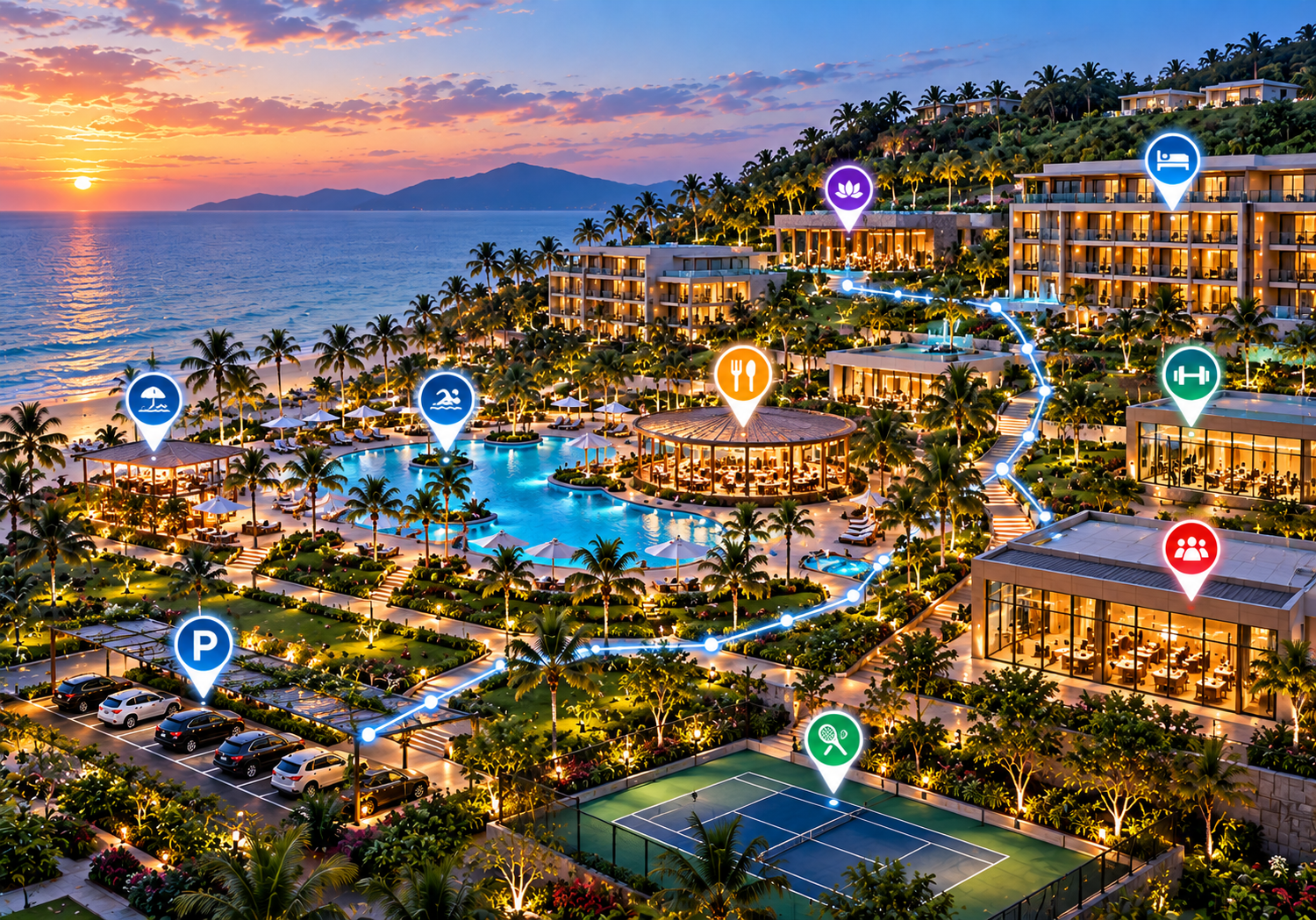
Interactive Hotel Maps: How Hotels & Resorts Improve Guest Navigation
Discover how interactive hotel and resort maps help guests find rooms, restaurants, pools, spas, parking, and other amenities for a smoother hospitality experience.
Arriving at a premier hotel or sprawling holiday resort should mark the beginning of a relaxing stay. However, for many guests, initial arrival brings unexpected spatial confusion. Navigating expansive hotel grounds, multi-wing towers, separate villa blocks, and spread-out amenity centres often feels overwhelming. Guests routinely find themselves lost while searching for guest rooms, speciality restaurants, swimming pools, spa facilities, conference spaces, parking structures, fitness centres, and outdoor recreational grounds.
Traditional physical signage and paper maps struggle to provide clear, searchable location guidance across complex properties. Implementing interactive hotel maps offers a modern, accessible digital solution that puts intuitive spatial navigation directly onto guests' smartphones and digital touchpoints. By digitising property layouts, hotels and resorts can make amenity information instantly accessible, streamline guest navigation, and deliver a seamless digital guest experience.
What Are Interactive Hotel Maps?
An interactive hotel map is a digital visual guide that allows guests to explore a hotel or resort layout, discover amenities, search for destinations, and view spatial directions directly on their devices. Unlike static diagrams, interactive maps allow users to zoom in, pan across multi-floor plans, select points of interest (POIs), and review venue details such as operating hours, dress codes, and descriptions.
To understand how digital maps enhance hospitality operations, it helps to compare them to traditional navigation channels:
-
Printed hotel maps: Handed out at check-in, paper maps are easily misplaced, expensive to reprint, environmentally wasteful, and unable to reflect temporary facility changes.
-
Static PDF maps: Viewing a static PDF on a mobile screen requires awkward pinching and panning, offering no search functionality or interactive location filtering.
-
Traditional wall signage: Directional signs provide essential physical orientation, but they can clutter architecture and are limited in the volume of information they display.
-
General-purpose navigation apps: Standard public mapping tools work well for driving directions to a hotel's street address, but they lack internal floor plans, room block layouts, resort amenity detail, and custom hotel branding.
Interactive map platforms bridge this gap by offering clean, centralised, property-specific digital maps designed explicitly for guest navigation.
Why Hotel and Resort Navigation Can Be Difficult
Modern hospitality properties present unique architectural and spatial navigation challenges:
-
Large hotel buildings and multiple wings: Multi-tower properties and interconnected wings can create confusing corridor intersections and elevator transfers.
-
Multi-floor layouts: Vertical stacking of guest rooms, ballrooms, executive lounges, and subterranean parking structures requires multi-level spatial awareness.
-
Spread-out resort villas: Beach resorts and mountain retreats frequently feature accommodation units spread across extensive landscaped grounds.
-
Scattered dining and recreation areas: Speciality restaurants, beachfront bars, infinity pools, tennis courts, and spas are often tucked away in distinct zones.
-
Expansive conference and event facilities: Corporate attendees must locate specific breakout rooms, exhibition halls, and banquet spaces quickly.
-
Parking and transit zones: Valet stands, self-parking decks, EV charging stations, and shuttle stops require clear identification.
-
Unfamiliar guest demographics: International travellers navigating a property for the first time are often handling travel fatigue alongside language barriers.
How Interactive Hotel Maps Improve Guest Navigation
Adopting interactive digital maps benefits both guest satisfaction and daily hotel operations:
-
Easier Discovery of Hotel Facilities: Guests can visually browse on-site restaurants, lounge bars, wellness centres, and recreational offerings.
-
Faster Identification of Destinations: Search functionality enables guests to find specific room blocks, meeting rooms, or facilities instantly.
-
Clearer Location Information: Rich pop-up cards communicate operating hours, menu links, and venue guidelines alongside spatial placement.
-
Convenient Mobile Access: Web-based maps load directly in mobile browsers without requiring native application downloads.
-
Increased Amenity Awareness: Clear map markers encourage guests to explore secondary dining venues, spa services, and retail shops.
-
Simplified Digital Updates: Operations teams can adjust venue hours, publish temporary path closures, or re-label event spaces digitally in real time.
-
Reduced Dependence on Paper: Eliminates recurring printing costs and supports sustainability commitments.
-
Streamlined Front Desk Operations: Self-service navigation reduces routine directional queries at reception, allowing staff to focus on high-touch service.
Essential Features of an Interactive Hotel Map
When evaluating hotel wayfinding software or digital resort mapping platforms, property managers should look for core functional features:
-
Searchable Destinations: A responsive search bar that matches venue names, room ranges, and general amenity categories (e.g., "Coffee", "Gym", or "Restroom").
-
Interactive Location Markers: Clickable map icons indicating guest buildings, dining venues, pools, spas, meeting spaces, and parking areas.
-
Multi-Building & Multi-Floor Toggling: Intuitive floor switchers that allow guests to navigate between different levels and separate accommodation towers.
-
Mobile-Friendly Design: Responsive performance optimised for mobile browsers across all major smartphone operating systems.
-
QR Code Access: Seamless camera-scan entry points placed strategically across key guest physical touchpoints.
-
Custom Property Branding: Ability to incorporate the hotel's brand colours, typography, logos, and visual styling.
-
Location Descriptions & Categories: Categorised overlays for dining, wellness, recreation, guest services, and transit.
-
Embeddable Map Views: Simple integration into pre-arrival emails, guest web portals, digital room keys, and website contact pages.
-
Accessibility Information: Highlighting step-free routes, accessible elevators, and wheelchair-friendly paths where supported.
How Guests Use Interactive Maps Throughout Their Stay
A digital map supports guests through every phase of their property experience:
-
Arrival and Reception: Upon arriving at the property, guests can scan a QR code at reception or open a web link in their welcome email to identify check-in lounges, luggage drop stations, and concierge desks.
-
Finding Guest Rooms: After receiving their room assignment, guests open the map to identify the most direct path to their building wing, elevator bank, or villa block, avoiding confusing corridors.
-
Exploring Restaurants and Dining: When looking for meal options, guests filter the map by dining categories to view open venues, inspect cuisine types, review operating hours, and navigate directly to the restaurant entrance.
-
Finding Pools, Spas, and Recreation Areas: Guests locating wellness facilities can view pool deck areas, cabana rentals, towel stations, spa reception desks, and fitness centres across resort grounds.
-
Attending Meetings and Events: Conference attendees and wedding guests can search for specific ballrooms, boardrooms, breakout areas, or exhibition halls without relying on physical staff guidance.
-
Parking and Departure: At checkout, guests easily find valet drop-offs, self-parking zones, shuttle stops, rideshare pickup areas, and express checkout dropboxes.
Interactive Maps for Different Types of Hotels and Resorts
Mapping requirements vary significantly depending on property scale, layout, and target audience:
-
Luxury Hotels: Focus on highlighting premium amenities, fine-dining establishments, executive lounges, private spa suites, and high-touch concierge services with refined brand visuals.
-
Beach Resorts: Emphasise outdoor zones, including beach access points, infinity pools, water sports centres, cabana areas, towel huts, and scattered dining pavilions across landscaped grounds.
-
Large Holiday Resorts: Provide multi-building navigation across expansive properties, guiding families to kids' clubs, sports courts, entertainment venues, golf courses, and transit stops.
-
Business Hotels: Highlight executive boardrooms, business centres, high-speed Wi-Fi lounges, express dining outlets, and transportation links for time-sensitive corporate travellers.
-
Boutique Hotels: Introduce guests to curated property features, hidden courtyard spaces, rooftop bars, and local neighbourhood recommendation highlights.
-
Conference Hotels: Offer clear event-space mapping, highlighting ballroom layouts, trade show floors, registration counters, breakout corridors, and nearby dining options.
QR Code Hotel Maps for Guests
QR code integration provides the simplest mechanism to deliver browser-based digital maps to guest smartphones without requiring mobile app installations.
Hotels can place QR code touchpoints across key property locations:
-
Reception desk counters and check-in kiosks
-
Key card holders and in-room welcome materials
-
Elevator lobbies and corridor signage hubs
-
Guest room desks and smart TV displays
-
Restaurant entrances and pool towel stations
-
Conference centre lobbies and event boards
-
Pre-arrival confirmation emails and digital registration portals
By placing QR codes at these touchpoints, properties allow guests to open the interactive map instantly in their mobile browser with a single camera scan.
Interactive Maps vs. Traditional Hotel Maps
| Feature | Traditional Hotel Map (Print / Static) | Interactive Digital Map |
| Finding Destinations | Visual inspection on flat paper diagrams | Search bar and category filtering |
| Location Information | Restricted to short text labels | Detailed profiles with hours, descriptions, and links |
| Updates & Revisions | Requires physical reprinting and redistribution | Updated instantly via a digital management dashboard |
| Mobile Access | Handheld paper sheet or wall panel | Responsive web access on any smartphone or tablet |
| Exploring Amenities | Static spatial graphics only | Interactive category filtering (Dining, Pools, Spas) |
| QR Code Utility | Links to static digital destinations | Launches interactive, browser-based digital map |
| Customization | Fixed print layout | Customizable brand styling, markers, and profiles |
How to Create an Interactive Hotel Map
Implementing digital wayfinding for a hotel or resort follows a structured, manageable process:
-
Audit Property Destinations: Identify all guest buildings, room ranges, dining venues, pools, conference rooms, parking zones, and amenities.
-
Collect Location Data: Gather accurate venue names, floor numbers, operating hours, descriptions, and category tags.
-
Organize Categories: Group points of interest into intuitive categories (e.g., Accommodations, Dining, Wellness, Events, Services).
-
Select Interactive Mapping Software: Choose a web-first map platform that matches your property's layout, mobile strategy, and branding guidelines.
-
Add Location Markers & Profiles: Plot points of interest, upload venue descriptions, add category icons, and configure building layouts.
-
Apply Custom Branding: Customize map styling, colors, typography, and logos to reflect the property's brand identity.
-
Test Across Mobile Devices: Verify map performance, search responsiveness, and readability on various mobile smartphones, tablets, and desktops.
-
Publish & Deploy Access Points: Generate map links, embed views into guest portals, and print QR codes for physical placement across the property.
-
Verify Data Accuracy: Conduct a walkthrough to confirm that point-of-interest markers match physical grounds accurately.
-
Maintain & Update Content: Keep venue hours, seasonal pop-ups, and temporary walkway closures updated through the software dashboard.
How to Choose Hotel Map Software
Hospitality managers evaluating digital mapping software should consider key functional criteria:
-
Ease of Use: Simple, intuitive interface that guests of all technical backgrounds can navigate effortlessly.
-
Mobile Browser Performance: Fast-loading, web-first design that requires no native mobile app downloads.
-
Robust Search & Filtering: Fast keyword search capable of matching amenity names, room blocks, and general terms.
-
Custom Branding Capabilities: Flexibility to customize map pins, brand color schemes, typography, and logos.
-
Multi-Building & Multi-Floor Support: Smooth handling of multi-wing buildings, towers, and spread-out resort grounds.
-
Embedding & Integration Options: Easy embedding into pre-arrival emails, hotel websites, digital signage, and guest web portals.
-
QR Code Support: Native tools to generate and manage QR codes linked directly to map views.
-
Vendor Support & Maintenance: Reliable platform uptime, security standards, and responsive customer support.
Note: Advanced features like live indoor positioning ("blue-dot" location tracking) and automated turn-by-turn routing require specialized hardware support, such as Bluetooth Low Energy (BLE) beacons.
Best Practices for Better Hotel Guest Navigation
To ensure a seamless navigation experience, hospitality teams should follow these implementation practices:
-
Use Clear, Familiar Venue Names: Label map locations using exact names found on physical signs and pre-arrival materials.
-
Group Amenities Intuitively: Organize categories logically so guests can filter by dining, pools, spa, or events with ease.
-
Keep Information Updated: Ensure venue operating hours, dress codes, and seasonal schedules are maintained accurately.
-
Design for Mobile Readability: Use high-contrast colour choices, legible fonts, and touch-friendly interface elements for small screens.
-
Highlight Major Entrances & Hubs: Clearly mark reception lobbies, parking structures, elevator banks, and resort main paths.
-
Combine Digital & Physical Signage: Use digital maps to complement physical signposts and front desk staff assistance rather than replacing human hospitality.
-
Test with Real Users: Gather feedback from arriving guests and front-line staff to refine category names and map clarity continuously.
The Future of Digital Wayfinding in Hospitality
Digital hotel wayfinding continues to evolve alongside broader smart hospitality technology trends:
-
Mobile-First Guest Portals: Integration of interactive maps directly into web-based check-in flows, digital room keys, and guest messaging systems.
-
QR-Enabled Contextual Maps: Scanning location-specific QR codes (e.g., at a pool hut) that open maps centered on the guest's immediate surroundings.
-
Multilingual Map Profiles: Automated text translation allowing international guests to explore amenity profiles and navigation instructions in their preferred native language.
-
Indoor Positioning Infrastructure: Emerging adoption of BLE beacon technology to provide option-based live location markers inside complex, multi-story properties.
-
Digital Signage Synchronization: Lobby touchscreen kiosks allowing guests to scan a QR code to transfer visual map routes directly to their mobile screens.
Frequently Asked Questions
What is an interactive hotel map?
An interactive hotel map is a mobile-responsive digital guide that helps guests explore and navigate a hotel or resort property. It features searchable destination points, clickable amenity profiles, multi-floor plans, and visual location guidance accessible on smartphones or web browsers.
How do interactive hotel maps improve guest navigation?
Interactive hotel maps allow guests to find guest rooms, restaurants, pools, spas, and meeting facilities independently. By offering searchable location databases and visual layouts directly on mobile devices, digital maps eliminate spatial confusion and elevate guest satisfaction.
What should an interactive resort map include?
An interactive resort map should include accommodation buildings, dining venues, pools, spa facilities, fitness centers, conference rooms, parking areas, recreational grounds, beach access points, and guest service desks alongside operating details.
Can hotels provide maps through QR codes?
Yes. Hotels can place QR codes at reception desks, elevators, guest rooms, and event spaces. Guests scan the code with their smartphone camera to launch the browser-based interactive map instantly without installing an application.
How do interactive hotel maps differ from PDF maps?
Unlike static PDF maps, interactive hotel maps offer instant search functionality, category filters, multi-floor toggles, clickable profiles with operating details, and real-time digital update tools managed centrally.
Can guests access interactive hotel maps on smartphones?
Yes. Modern interactive hotel maps are web-based and optimized for mobile browsers across iOS and Android devices, allowing guests to open maps instantly without downloading dedicated apps.
How can hotels create an interactive digital map?
Hotels can create an interactive map by auditing property locations, collecting venue details, organizing categories, uploading visual layouts to a map software platform, adding location markers, customizing brand styling, and deploying access via QR codes and web links.
What is hotel wayfinding software?
Hotel wayfinding software is a digital mapping platform used by hospitality properties to build, customize, and manage interactive property maps, location directories, and visual directions across mobile web applications and digital displays.
Can interactive maps show restaurants, pools, and spas?
Yes. Interactive maps feature categorized overlays and searchable directories that allow guests to discover dining venues, swimming pools, spa treatment centers, fitness facilities, and recreational areas across the property.
How can hotels choose the right map software?
Hotel management should evaluate map software based on mobile browser performance, ease of search, custom branding options, multi-building support, QR code features, CMS ease of use, pricing, and vendor support.
Conclusion
Providing effortless, clear property navigation is a key element of modern hospitality management. As hotel and resort properties grow more expansive and guest preferences favor seamless digital self-service, static printed maps are no longer sufficient on their own. Interactive hotel maps solve spatial navigation challenges, boost amenity engagement, and reduce routine directional demands on hotel staff.
Accurate location data, clear design, mobile usability, and regularly updated information are essential for delivering a modern guest experience.
Want to make your property's facilities easier to explore? Discover how eMap can help you create an interactive digital map for your hotel or resort.
