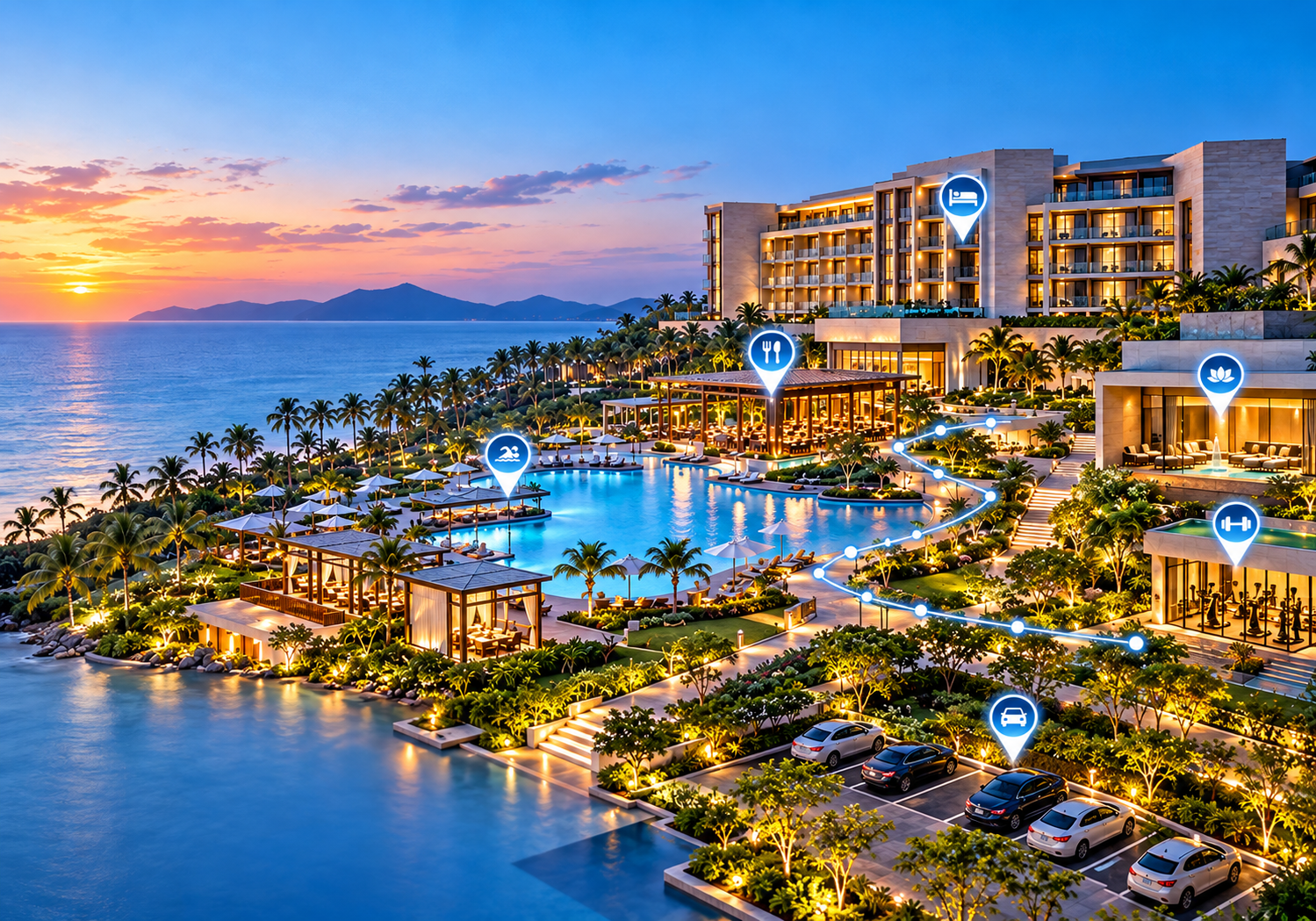
Interactive Maps for Hotels & Resorts: A Complete Guide for Better Guest Navigation
Discover how interactive hotel maps help guests find rooms, amenities, restaurants, pools, parking, and other facilities while creating a smoother digital experience.
Navigating a large hotel property or expansive beach resort should feel like a seamless part of a vacation or business trip, not a confusing puzzle. Yet, one of the most common friction points in hospitality is basic orientation. Guests often struggle to locate their rooms in sprawling wings, find specific dining venues, locate the pool, spa, fitness center, or navigate to conference rooms and event spaces across vast grounds. Finding reception areas, parking structures, and outdoor facilities like tennis courts or beach access points frequently leads to frustration and repeated calls or visits to the front desk.
Traditional paper maps and static signage are no longer enough to meet modern guest expectations. Interactive maps for hotels offer a dynamic, modern solution that puts intuitive digital wayfinding directly into the hands of visitors on their mobile devices. By replacing static diagrams with interactive hotel maps, properties can eliminate confusion, boost amenity discovery, and elevate the overall guest experience from check-in to checkout.
What Are Interactive Maps for Hotels and Resorts?
An interactive hotel map is a digital, mobile-responsive visual guide designed to help guests explore and navigate a property. Unlike traditional mapping solutions, interactive maps allow users to zoom in, search for specific destinations, tap on points of interest for detailed information, and receive step-by-step visual directions.
To understand why hospitality brands are upgrading their navigation systems, it helps to see how interactive digital maps differ from traditional methods:
-
Static PDF maps: Difficult to view on mobile screens, require pinch-and-zoom gymnastics, and cannot be updated without replacing the entire file.
-
Printed hotel maps: Frequently lost or discarded, costly to print repeatedly, bad for sustainability goals, and outdated the moment a venue changes hours or names.
-
Traditional physical signs: Crucial for physical spaces, but static, easily missed in complex layouts, and limited in the amount of information they can show.
-
Generic map applications: Standard public map services work well for driving directions to a property address, but they lack detailed indoor layouts, room placement, resort amenity detail, and custom branding.
Interactive map software for hospitality bridges this gap by providing property-specific, highly detailed digital maps designed explicitly for guest navigation.
How Interactive Hotel Maps Work
Implementing digital wayfinding for hotels and resorts is straightforward for property teams and effortless for guests. The visitor journey typically follows a simple, app-free workflow:
-
Access: A guest scans a QR code located in the lobby, elevator, or guest room, or taps a link in a booking confirmation email or web portal.
-
Instant Loading: The interactive hotel map loads instantly in the guest’s mobile web browser—no app download required.
-
Search & Discovery: The guest uses a search bar or visual category filter (e.g., "Dining," "Pools," "Meeting Rooms") to find their destination.
-
Detailed Information: Tapping a location displays key details, such as opening hours, menus, dress codes, or descriptions.
-
Visual Navigation: The map highlights the selected location and provides clear visual route guidance from the guest's starting location.
-
Real-Time Management: On the backend, hotel administrators can instantly update map content, temporary closures, or event spaces without needing technical support.
Why Hotels and Resorts Need Interactive Maps
Adopting digital hotel maps provides measurable benefits for both property operations and visitor satisfaction.
-
Better Guest Navigation & Reduced Confusion: Guests easily orient themselves across complex indoor and outdoor layouts, preventing missed reservations or late arrivals to conferences.
-
Improved Guest Experience: Self-service navigation gives guests independence and confidence while exploring the property.
-
Faster Discovery of Amenities: When guests can clearly see where restaurants, bars, spas, and recreational facilities are located, they are far more likely to visit and spend on-site.
-
Reduced Dependence on Printed Maps: Eliminates recurring printing costs and aligns with eco-friendly sustainability initiatives.
-
Easier Updates: Facility changes, seasonal renovations, or temporary room reconfigurations can be published instantly across all guest touchpoints.
-
Better Accessibility: High-contrast visuals, search capabilities, and customizable text sizes help accommodate guests with diverse accessibility needs.
-
Increased Engagement: Interactive elements invite guests to explore areas of the resort they might otherwise overlook.
-
Stronger Digital Experience: Modernizes the brand image for international travelers expecting seamless digital hotel services.
Key Features of an Interactive Hotel Map
When evaluating interactive resort maps and hotel map software, properties should look for features tailored specifically to hospitality environments:
-
Interactive Locations & Custom Icons: Visual markers for bedrooms, restaurants, pools, and services organized into intuitive categories.
-
Search Functionality: A fast search engine that lets guests locate specific amenities, room blocks, or venue names instantly.
-
Digital Wayfinding: Direct visual pathfinding across multi-building grounds or multi-level indoor structures.
-
Mobile-Friendly Design: Responsive performance optimized for mobile browsers across iOS and Android devices.
-
QR Code Access: Simple, instant access points placed strategically across the physical property.
-
Custom Branding: Ability to incorporate the hotel’s color palette, typography, logos, and visual styling.
-
Comprehensive Amenities Mapping: Dedicated overlays for restaurants, bars, parking zones, spa facilities, and sports grounds.
-
Event & Conference Space Mapping: Detailed floor plans highlighting ballroom layouts, breakout rooms, and event facilities.
-
Real-Time Updates: Immediate publishing tools to adjust venue hours, temporarily close paths, or add pop-up activities.
-
Embeddable Maps: Easy integration into the hotel's website, pre-arrival emails, or guest web portals.
How Interactive Maps Improve the Guest Experience
To appreciate the impact of a digital navigation system, consider how an interactive map supports a guest across their entire stay:
Arrival → Reception → Guest Room → Dining & Amenities → Activities → Checkout
-
Arrival & Check-In: After a long flight, arriving guests scan a welcome QR code at reception to view parking options, bag drop locations, and executive lounges.
-
Finding the Room: Guests navigate sprawling resort wings or multi-story towers effortlessly, bypassing confusing corridor intersections.
-
Discovering Dining & Amenities: Instead of relying on a printed directory, guests filter the map for "Open Restaurants," review dining descriptions, and navigate directly to lunch.
-
Exploring Pools, Spas & Recreation: Guests locate beach towel stations, cabana rentals, spa entrances, and fitness facilities on outdoor resort maps.
-
Attending Events: Business travelers or conference attendees find ballrooms and breakout meeting rooms without asking staff or wandering through corridors.
-
Checkout & Departure: Departing guests quickly identify rideshare pickup zones, taxi stands, and express checkout dropboxes.
By answering spatial questions instantly, interactive maps empower guests to enjoy their stay while allowing hotel staff to focus on delivering high-touch hospitality rather than giving directions.
Interactive Maps for Different Hotel & Resort Areas
A property-wide digital map addresses navigation challenges across every functional area of a property:
Guest Rooms & Buildings
Large resorts with multiple towers, villas, or bungalows can be overwhelming. Interactive resort maps clearly display building names, floor numbers, elevator banks, and room ranges, making arrival stress-free.
Restaurants & Bars
Highlight dining venues across the property. Include operating hours, cuisine types, reservation links, and precise locations for rooftop lounges, beach bars, or tucked-away bistros.
Pools & Spas
Direct guests to family pools, adults-only sanctuaries, hot tubs, towel huts, and treatment centers. Detailed pop-up cards can outline spa booking requirements or pool hours.
Conference & Event Spaces
For MICE (Meetings, Incentives, Conferences, and Exhibitions) hotels, interactive floor plans are essential. Event attendees can easily locate specific meeting rooms, exhibition halls, restrooms, and refreshment stations.
Parking & Transportation
Guide guests to self-parking structures, valet stands, EV charging stations, shuttle stops, and rideshare pickup points without confusion.
Fitness & Recreation
Map out gym facilities, yoga pavilions, tennis courts, golf courses, and equipment rental stations across the resort grounds.
Outdoor Areas
For beachfront, mountain, or countryside resorts, map out walking trails, private beaches, gardens, dock facilities, and outdoor event lawn spaces.
Shops & Services
Direct guests to on-site gift shops, boutiques, concierge desks, business centers, ATM locations, and laundry facilities.
QR Code Hotel Maps for Guests
QR code integration is the simplest way to deliver digital maps to guests without requiring them to download a dedicated native application. Placing QR codes at key physical and digital touchpoints allows guests to open interactive maps on their mobile devices in seconds:
-
Reception: Front desk counters for property orientation during check-in.
-
Guest Rooms: Placed on key cards, desk cards, or in-room digital displays for convenient navigation and dining discovery.
-
Elevators & Common Hubs: High-traffic zones for quick floor-by-floor wayfinding.
-
Event Areas: Conference lobbies to direct guests straight to specific meeting rooms.
-
Digital Pre-Arrival: Embedded in confirmation emails so guests can familiarize themselves with the property before arriving.
Interactive Maps vs Static Hotel Maps
| Feature | Static Hotel Map (Print / PDF) | Interactive Hotel Map (eMap) |
|---|---|---|
| Search Functionality | Limited / No | Yes, instant keyword search |
| Mobile Experience | Poor (Pinch & zoom required) | High (Responsive web view) |
| Information Updates | Difficult & costly | Instant & real-time |
| Interactive Locations | No | Yes (Clickable points of interest) |
| QR Code Access | Limited utility | Direct browser launch |
| Guest Engagement | Low | High (Interactive exploration) |
| Custom Information | Static text only | Rich media, links, hours, descriptions |
How to Create an Interactive Hotel Map
Implementing digital wayfinding for hotels and resorts follows a structured, easy-to-manage process:
-
Audit Facilities & Destinations: List all key guest destinations, including room blocks, dining options, pools, meeting spaces, parking, and services.
-
Organize Categories: Group locations logically (e.g., Dining, Wellness, Meeting Spaces, Guest Services) for easy searching.
-
Upload or Build Base Vector Map: Convert existing architectural layouts, floor plans, or site maps into clean digital vector graphics.
-
Add Interactive Points of Interest (POIs): Place pins, icons, and clickable hotspots for every venue and facility.
-
Incorporate Branding & Content: Add corporate brand colors, logos, venue photos, operational hours, and descriptive text.
-
Configure Wayfinding Routes: Map out main corridors, walkways, elevator locations, and accessible paths.
-
Test Across Devices: Verify mobile performance, search functionality, and visual clarity on modern smartphones and tablets.
-
Deploy QR Codes & Links: Print QR codes for physical placement and embed digital map links into confirmation emails, guest portals, or hotel apps.
-
Maintain & Update: Regularly update map content to reflect seasonal operational changes, temporary closures, or new amenities.
Benefits for Hotel Owners and Managers
Beyond improving guest satisfaction, interactive maps deliver tangible operational benefits for management teams:
-
Streamlined Operations: Reduces front desk call volumes and directional inquiries, freeing staff to handle higher-priority guest requests.
-
Increased On-Site Revenue: Promotes underutilized amenities, secondary dining venues, spa services, and retail shops by making them easy to find.
-
Cost Savings: Eliminates recurring design, reprinting, and distribution costs associated with physical paper maps.
-
Digital Infrastructure Integration: Modernizes property technology infrastructure, complementing digital check-in and keyless room entry systems.
-
Promotional Opportunities: Allows properties to highlight daily activities, seasonal pop-ups, or special events directly on the visual map.
How to Choose Hotel Map Software
When selecting an interactive map software for hospitality, evaluate providers against this checklist:
-
Mobile-First Browser Compatibility: Loads instantly via QR code without forcing guests to download an app.
-
Intuitive Content Management System (CMS): Allows non-technical staff to add points of interest or edit details easily.
-
Customizable Branding: Supports custom colors, map icons, fonts, and property logos.
-
Robust Search & Filtering: Offers fast, accurate search capability across multi-floor and multi-building layouts.
-
Indoor & Outdoor Navigation Support: Seamlessly transitions between outdoor resort grounds and indoor building layouts.
-
Easy Embedding Options: Integrates smoothly into existing hotel websites, guest web apps, and digital signage displays.
-
Multi-Language Capability: Supports international guests with localized interface options.
-
Scalability & Security: Handles high visitor volumes reliably across single properties or international hotel portfolios.
Future of Digital Wayfinding in Hospitality
Digital wayfinding for hotels and resorts continues to evolve alongside broader smart hospitality technology trends:
-
Location-Based Guest Experiences: Integration with mobile guest apps to offer personalized recommendations based on a guest's proximity to specific amenities.
-
Smart Digital Signage Integration: Synchronizing touch-screen kiosks in lobbies with guest mobile devices via QR transfer.
-
Indoor Positioning Systems (IPS): Leveraging Bluetooth Low Energy (BLE) beacons or Wi-Fi triangulation for live blue-dot indoor positioning inside expansive hotel resorts.
-
Contextual & Real-Time Content: Displaying real-time information such as live wait times for dining venues, cabana availability, or current meeting schedules on map cards.
Frequently Asked Questions
What is an interactive hotel map?
An interactive hotel map is a mobile-friendly digital guide that helps guests explore and navigate a hotel or resort. It features searchable locations, clickable points of interest, venue details, and visual direction guidance accessible via smartphones or web browsers.
How do interactive maps improve hotel guest experience?
Interactive maps empower guests to find their rooms, restaurants, pools, and conference spaces independently. By eliminating directional confusion and making amenities easy to discover, properties deliver a smoother, more enjoyable guest stay.
Can hotels create QR code maps for guests?
Yes. Hotels can generate dedicated QR codes linked directly to their interactive map web application. Guests simply scan the code with their smartphone camera to view the map instantly without downloading an app.
What should an interactive resort map include?
An interactive resort map should include guest room buildings, dining venues, pools, spa facilities, conference rooms, parking areas, recreational activities, beach access points, and key guest service desks, along with operating hours and venue descriptions.
How is an interactive hotel map different from a PDF map?
Unlike static PDF maps, interactive hotel maps offer instant search features, clickable points of interest, dynamic routing, simple mobile navigation, and real-time updates that allow management to adjust information instantly.
Can interactive maps work on mobile phones?
Yes. Modern interactive hotel maps are designed web-first for mobile browsers across iOS and Android, ensuring fast loading and responsive navigation without requiring native app installations.
How can hotels use digital wayfinding?
Hotels can deploy digital wayfinding by placing QR codes in key physical areas, linking maps in pre-arrival emails, embedding interactive views on property websites, and displaying maps on interactive lobby kiosks.
What are the benefits of interactive maps for resorts?
Interactive maps reduce staff workload, increase guest spend by showcasing resort amenities, eliminate paper printing costs, improve guest satisfaction, and modernise the property's digital guest experience.
Conclusion
Providing clear, effortless navigation is essential for modern hotel and resort management. As properties grow larger and guest expectations lean toward seamless digital self-service, static printed maps and static signs are no longer sufficient. Interactive maps for hotels solve navigation challenges, boost amenity engagement, and reduce administrative demands on property staff.
Ready to create a more connected guest experience? Explore how eMap can help your hotel or resort build custom, highly intuitive interactive digital maps designed to guide your guests every step of the way.
