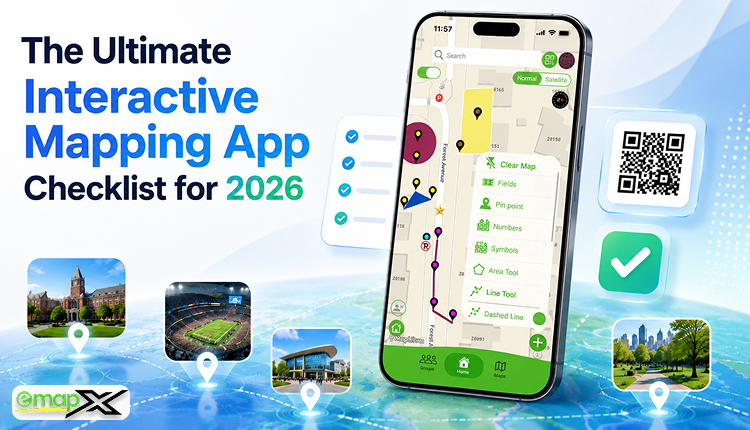
The Ultimate Interactive Mapping App Checklist for 2026
A complete guide to choosing the right interactive mapping app for events, campuses, sports complexes, parks, venues, and visitor experiences.
Introduction
Interactive mapping apps have rapidly transitioned into essential infrastructure tools for organizations that want to improve crowd navigation, boost visitor engagement, and elevate overall digital experiences. From universities and sports complexes to high-traffic events, public parks, corporate campuses, and large venues, organizations are actively replacing static PDF maps with dynamic, mobile-friendly alternatives.
However, not all mapping platforms offer the same structural capabilities. Choosing the right interactive mapping app can significantly impact your visitor satisfaction, day-to-day operational efficiency, and long-term tech scalability. Selecting the wrong solution frequently leads to poor user experiences, outdated on-site information, and severely limited functionality.
To avoid these pitfalls, organizations require a clear, structured evaluation framework. This ultimate checklist outlines the most critical features and capabilities to look for when selecting an interactive mapping app in 2026.
Why Interactive Mapping Apps Matter
Modern visitors demand a much higher tier of convenience than a flat, simple drawing can provide. Today's public expects:
-
Instant, fluid navigation assistance
-
Seamless mobile accessibility without barriers
-
Real-time information delivery
-
Predictive, searchable locations
-
Personalized spatial experiences
Whether someone is attending an industry conference, exploring a massive university campus, visiting a high-energy sports venue, or navigating a regional park, digital wayfinding has officially become a baseline expectation rather than a premium luxury. Interactive mapping apps help organizations meet these demands head-on while significantly maximizing visitor satisfaction.
The Ultimate 16-Point Interactive Mapping App Checklist
Utilize the following 16-point checklist to thoroughly evaluate any potential digital mapping platform before deployment:
1. Interactive Digital Real Estate
The absolute foundation of any mapping platform is a fluid, modern interface. Static images and rigid PDFs are no longer sufficient to hold attention or guide a crowd.
-
Checklist:
-
Fully interactive, responsive map interface
-
Smooth multi-touch zoom and pan functionality
-
Highly clickable map pins and locations
-
Layer toggle support (e.g., separating food, stages, or facilities)
-
2. Frictionless QR Code Map Access
QR code navigation has solidified its spot as one of the fastest-growing trends in modern digital wayfinding.
-
Checklist:
-
Instant, automated QR code generation for target coordinates
-
Flawless cross-mobile browser compatibility
-
No mandatory app download required (renders instantly via web browser)
-
Simple link-sharing options for social media or text
-
3. Real-Time Cloud Updates
Physical spaces are volatile, and information changes constantly. A premium mapping platform must allow administrators to execute structural or textual adjustments instantly without forcing visitors to download or refresh an application file.
-
Checklist:
-
Instant, live system updates
-
Centralised, secure cloud-based management backend
-
One-click live content publishing
-
4. Powerful Search Functionality
Visitors should never be forced to waste time manually browsing large maps to find a specific spot. Smart index searching drastically cuts down crowd confusion.
-
Checklist:
-
Exact location and booth number search tool
-
Intuitive category filtering (e.g., searching specifically for "Restrooms")
-
Keyword tag search capabilities
-
Lightning-fast, suggest-as-you-type results
-
5. Mobile-First Experience
Because the vast majority of visitors will access your map on a smartphone while actively walking around your venue, mobile optimization is non-negotiable.
-
Checklist:
-
Mobile-first, fully responsive design viewports
-
Ergonomic, touch-friendly navigation controls
-
Complete, uniform Android compatibility
-
Complete, uniform iPhone compatibility
-
6. Digital Wayfinding Tools
True digital wayfinding goes far beyond showing a flat blueprint; it actively helps visitors orient themselves and understand the best path to take.
-
Checklist:
-
Dynamic navigation routes and pathways
-
Clear visual directions and landmarks
-
Identifiable location markers and custom pins
-
Intuitive visitor guidance tools
-
7. Comprehensive Accessibility Features
Inclusivity and ADA compliance should always be top operational priorities for physical venues. Interactive maps must help all visitors navigate comfortably.
-
Checklist:
-
Explicitly detailed step-free/accessible routes
-
Clearly marked elevator locations
-
Highlighted accessible building entrances
-
Dedicated handicap parking guidance
-
Inclusive UI design standards
-
8. Rich, Detailed Location Profiles
Map markers should serve as dynamic information hubs rather than just displaying a simple name string.
-
Checklist:
-
Rich text content and description support
-
High-resolution photos, images, and embedded media
-
Direct touch-to-call contact details or external hyperlinks
-
Live operating hours and real-time pop-up notifications
-
Integrated individual event or session schedules
-
9. Seamless Website Integration
Your digital map should be highly discoverable long before a visitor arrives on-site by integrating natively into your existing digital presence.
-
Checklist:
-
Simple iframe or snippet website embedding
-
Fully responsive web map widgets
-
Easy implementation needing zero complex code
-
Uniform cross-device and cross-browser compatibility
-
10. White-Label Custom Branding
Organizations require clean, professional maps that accurately mirror their hard-earned visual brand identity.
-
Checklist:
-
Injection of custom corporate or event logos
-
Strict alignment with official hex brand colours
-
Customizable vector map icons
-
Venue or theme-specific aesthetic controls
-
11. Analytics and Visitor Insights
One of the most profound advantages of moving to a digital map architecture is the ability to securely look at behavioral trends.
-
Checklist:
-
Aggregated, anonymous visitor analytics dashboards
-
Highly popular location and hotspot tracking
-
Detailed user search query reports
-
Engagement and click-through metrics
-
12. Centralized Multi-Venue Support
For enterprise organizations managing a vast portfolio of spaces, the software must seamlessly scale from one dashboard.
-
Checklist:
-
Multi-map construction capabilities
-
Centralized management for all physical footprints
-
Highly scalable network deployment architecture
-
Regional or campus location grouping tools
-
13. Event and Schedule Integration
For business conferences, dynamic music festivals, and sports stadiums, programming information should map directly to physical real estate.
-
Checklist:
-
Dynamic on-map event listings
-
Live calendar and timeline schedule integration
-
Comprehensive speaker, artist, or session info panels
-
Real-time shifting activity locations
-
14. Sponsor and Advertising Support
Digital map real estate offers high-impact ad space that can be monetized to easily generate a new stream of event revenue.
-
Checklist:
-
Featured sponsor logo integrations on the map canvas
-
Highlighted or premium-featured location pins
-
Temporary promotional pop-up ad placements
-
Structured banner advertising support
-
15. Total PDF Map Replacement
A modern system should be robust enough to entirely remove the operational reliance on static, unclickable files and paper prints.
-
Checklist:
-
Seamless digital-first, paperless user experience
-
On-the-fly live updates that render instantly
-
Superior mobile ergonomics compared to standard file resizing
-
Measurable, drastically reduced seasonal printing overhead
-
16. Future-Ready Technical Architecture
As consumer tech evolves rapidly, prioritize software designed to scale alongside next-generation spatial developments.
-
Checklist:
-
Augmented Reality (AR) pathfinding overlay readiness
-
Indoor Positioning System (IPS) "blue-dot" hardware compatibility
-
Smart, predictive AI wayfinding tools
-
Emerging web standard compatibility
-
Core Industries That Benefit Most
-
Universities & Colleges: Guide students, parents, and visitors across massive multi-acre campuses and individual lecture halls.
-
Events & Conferences: Drastically improve attendee navigation between dense trade show vendor booths, main stages, and networking hubs.
-
Sports Stadiums: Support fan routing directly to specific ticket rows, designated parking structures, and concession zones.
-
Parks & Recreation: Provide trail hikers with interactive guidance across complex winding paths, lookouts, and ranger stations.
-
Corporate Campuses: Help new hires, corporate clients, and visiting executives seamlessly navigate multi-building office parks.
Moving Beyond Static Maps with emapX Live
If you are looking for a platform that checks off every critical box on this modern evaluation framework, specialized solutions like emapX - Live Custom Maps are setting the gold standard. emapX Live arms organizations with a highly efficient, user-friendly ecosystem to transform traditional blueprints into highly custom, interactive digital environments.
By bringing together stunning fluid graphics, instant cloud publishing, app-free QR code deployment, and robust website embedding with advanced visitor analytics and sponsor monetization real estate, emapX Live allows any venue to effortlessly move past the age of the static PDF. It introduces a smooth, exceptionally professional mapping solution that today's mobile-first public trusts and relies on.
Frequently Asked Questions
What exactly is an interactive mapping app?
An interactive mapping app is a modern cloud-hosted digital framework that enables users to pan, search, zoom, and explore a venue’s physical geography via responsive digital graphics and live info profiles.
Why is avoiding a mandatory app store download so important?
Forcing a user to download a heavy mobile application introduces severe digital friction. Visitors frequently abandon the process due to a lack of storage space, poor cellular signals, or time constraints. Web-based QR code maps open instantly inside their phone's native browser.
Can an interactive map completely replace physical printing?
Yes. Interactive maps do everything a paper map can but add deep layers of value such as keyword searches, instant data synchronisation, accessible routing toggles, and sponsor placements—while entirely erasing paper material print overhead.
Are these digital maps secure for public use?
Yes, premium platforms prioritize anonymous data collection. The system only tracks aggregated, privacy-compliant user trends—such as overall search term popularity or high-volume node clicks—to provide managers with data to strategically optimise their venue spaces.
Conclusion
Selecting the ideal interactive mapping app is about far more than throwing a digital graphic onto a screen. It requires an intentional focus on user accessibility, data speed, flexibility, and real-time administrative control. By utilizing this rigorous 16-point checklist, your leadership team can confidently select a scalable wayfinding solution that completely simplifies venue navigation, drives up crowd engagement, and maximizes long-term operational growth.
As public expectations lean completely into modern digital convenience through 2026, implementing a feature-rich mapping tool like emapX Live ensures your organization stays well ahead of the curve. Transitioning your physical environment into an interactive digital world is the ultimate way to keep people moving safely, efficiently, and confidently.
Which of the 16 features on this checklist is the absolute "must-have" priority for your specific venue space?
